
1. Regulation
Properties in the Basque Country must send guest registration data to the Ertzaintza police force. Omission is non‑compliant.
2. Connect to Ertzaintza via Stellar
In your Stellar dashboard:
-
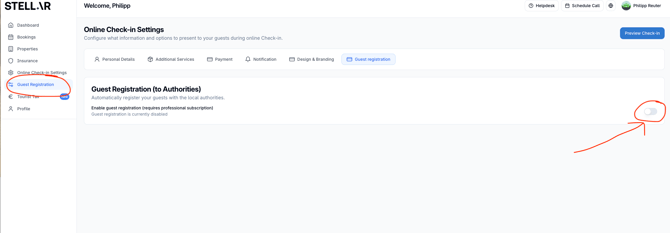
Go to "Guest Registration"
-
Enable Guest Registration (to Authorities)
-
Enable each accommodation and then choose settings
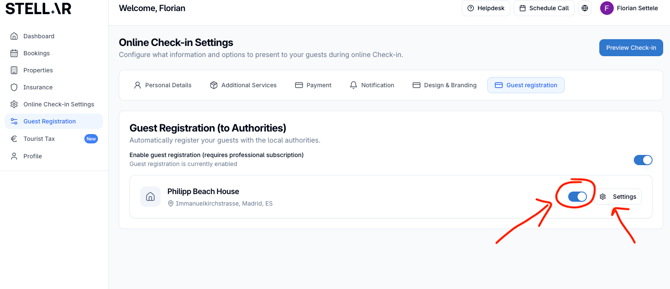
- Input the information about the accommodation
- Activate "Automatic sending to authority" and select SES Hospedajes
- Enter
-
-
Username (same as your Ertzaintza portal login)
-
Password (same as your Ertzaintza portal password)
-
Establishment ID assigned by Ertzaintza
-
-
Click Validate. Successful validation completes the connection.
3. Data Submission Timing
Guest data is automatically sent at approximately 19:00 UTC on the check‑in day.
If check‑in occurs after that cutoff, we currently cannot send the data automatically. We will provide an automated solution soon